Your money, on the big screen.
Capture on your phone; plan, check and import on the web. The same account and the same ledgers in your browser — nothing to install.
Same sign-in as the iOS and Android apps. Some features depend on your plan.
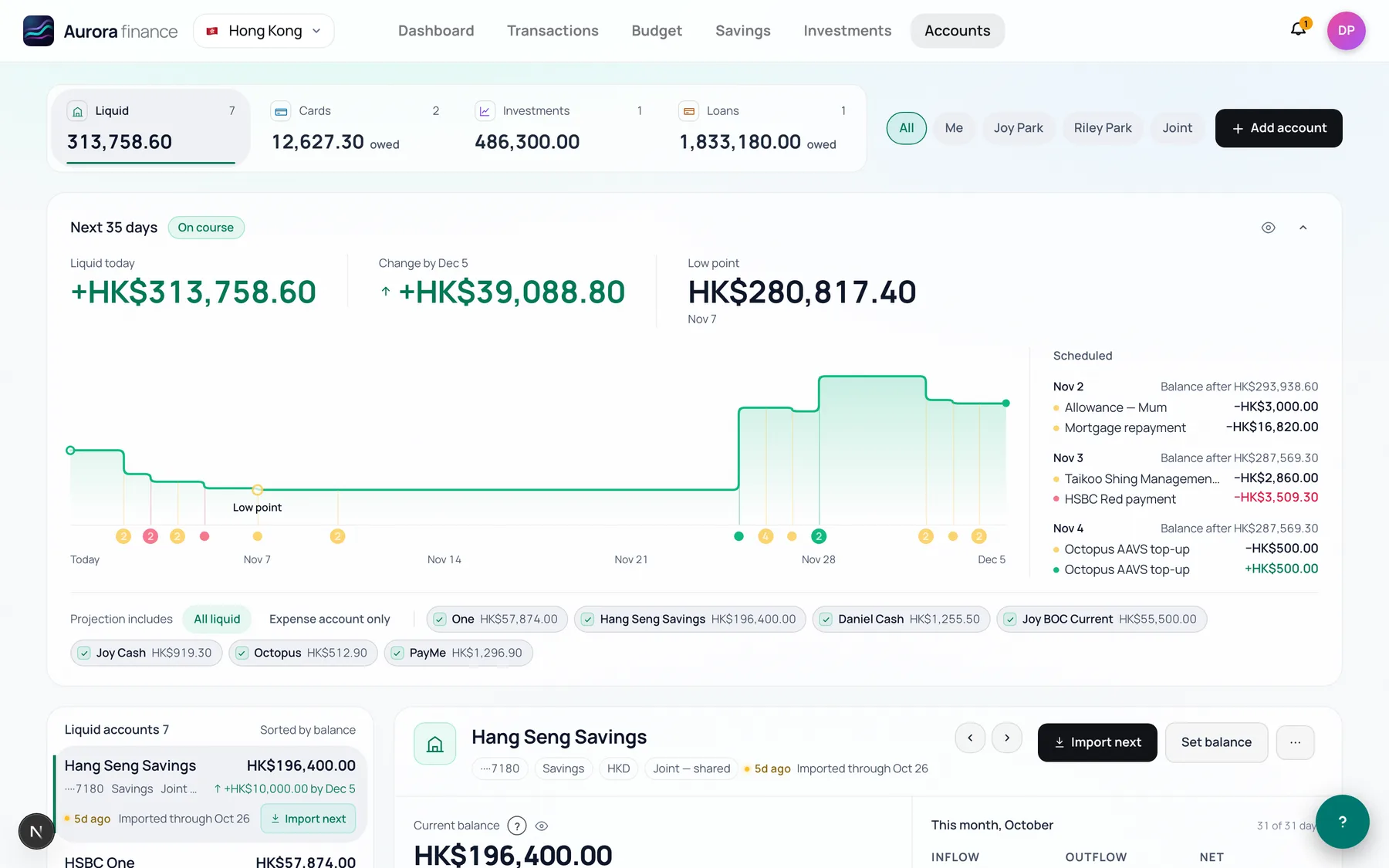
See the next 35 days before they happen.
Every account in one place, with a forecast built from your scheduled bills, card payments and paydays.
- The low point, and the day it lands
- Each scheduled payment with the balance after it
- You choose which accounts the forecast counts
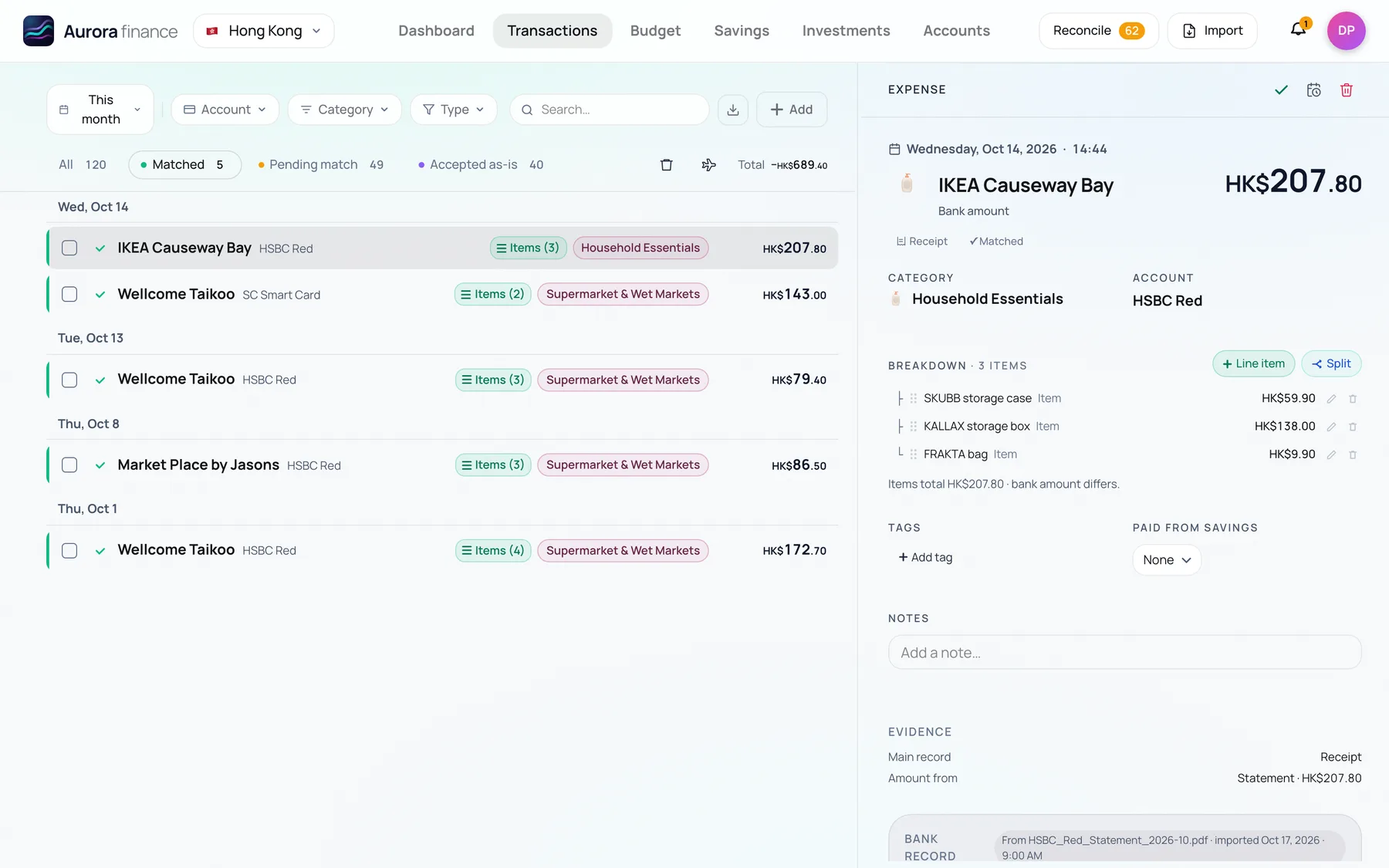
Every detail, one click away.
The list on the left, the transaction on the right — its items, category, tags and notes, and the evidence behind the amount.
- Receipt items, splits and tags in the detail panel
- Reconciliation shows the receipt, card text and statement line behind each purchase
- Filter by account, category, type or match status
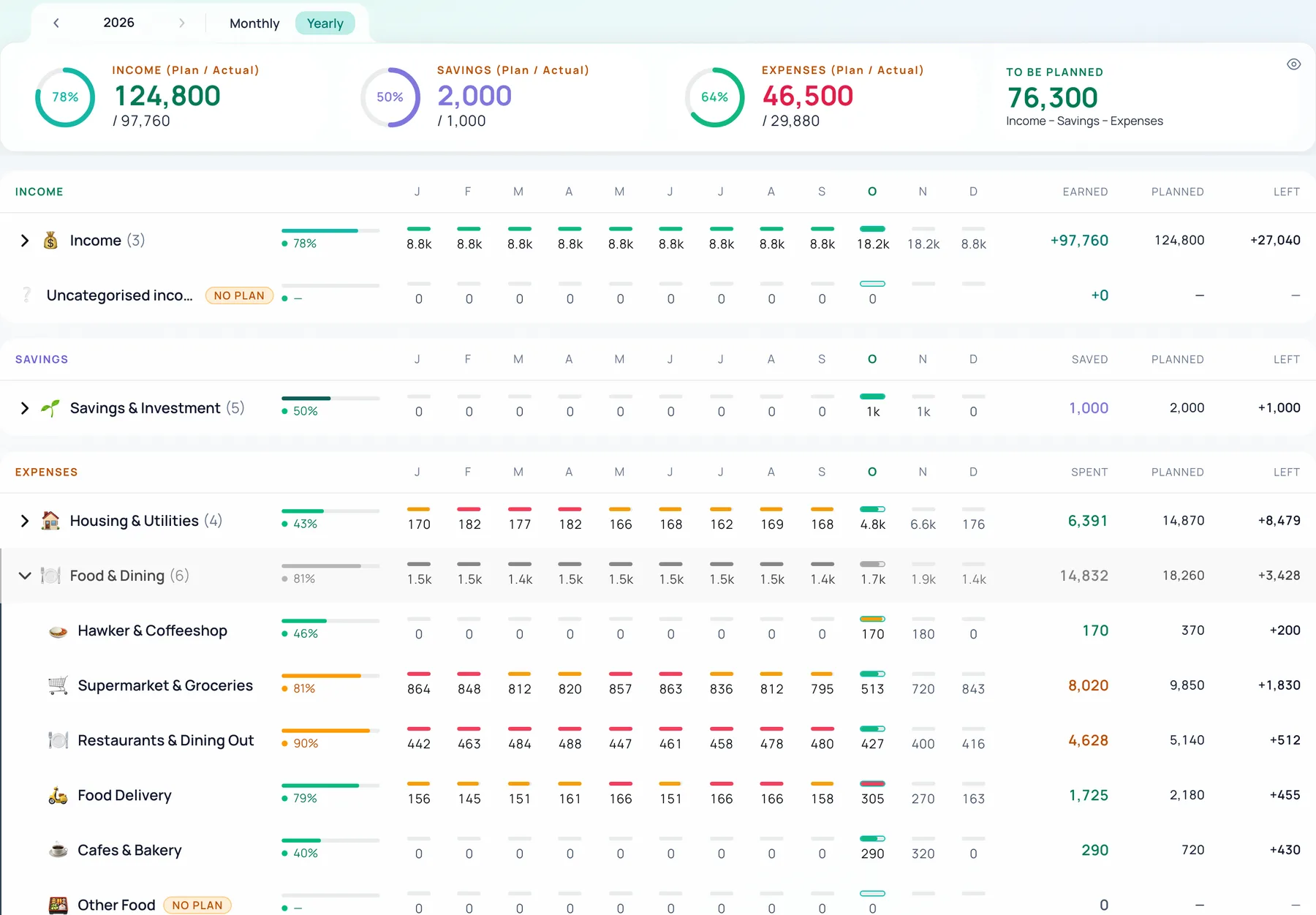
Plan the year, the way a business does.
Set a yearly budget for income, savings and every expense, then manage it month by month. Whatever you don't spend can roll over within the year, so a quiet month pays for a busy one — and the yearly overview shows where you stand at any point.
- The whole year at a glance: plan against actual, month by month
- Rollover carries what's left (or overspent) into the following months
- A monthly view for the detail, in green, amber and red against your own thresholds
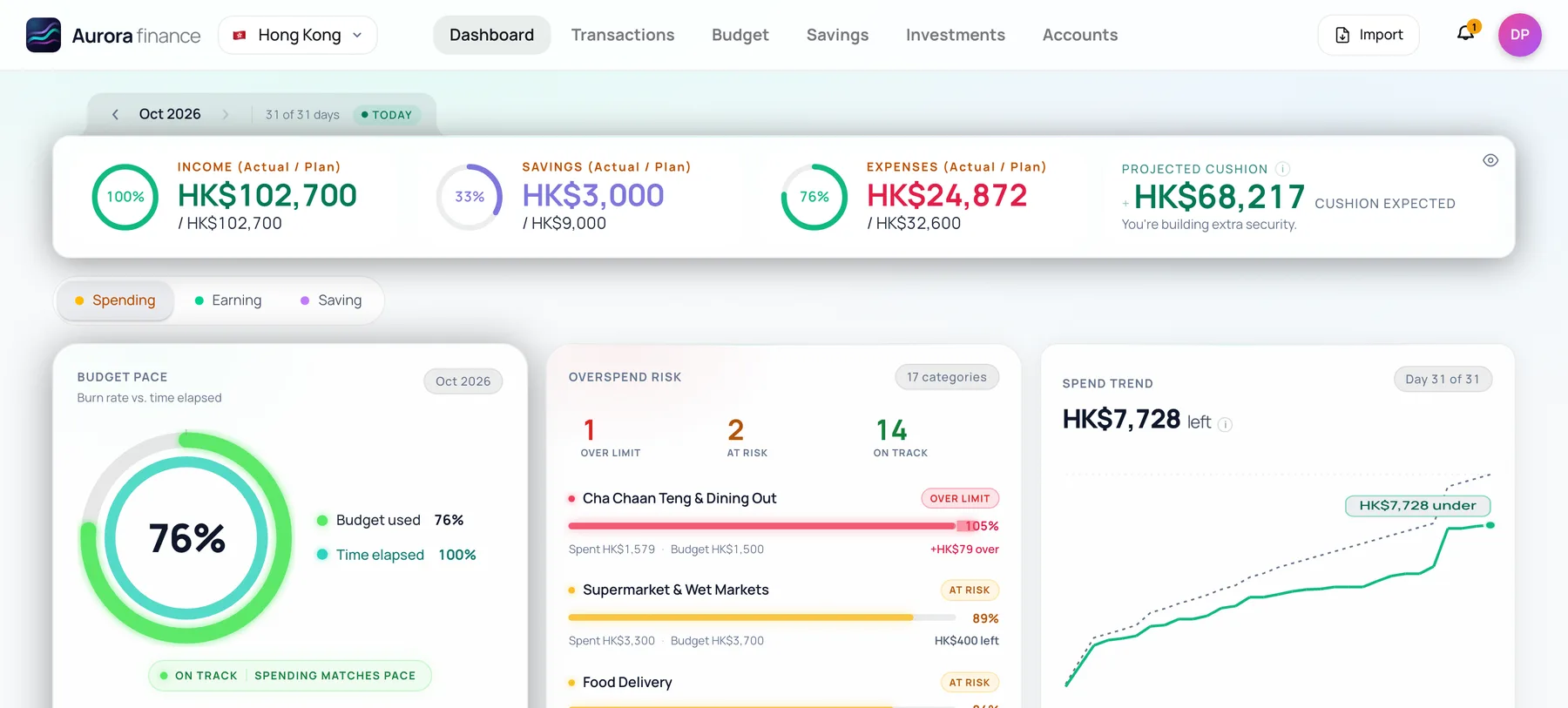
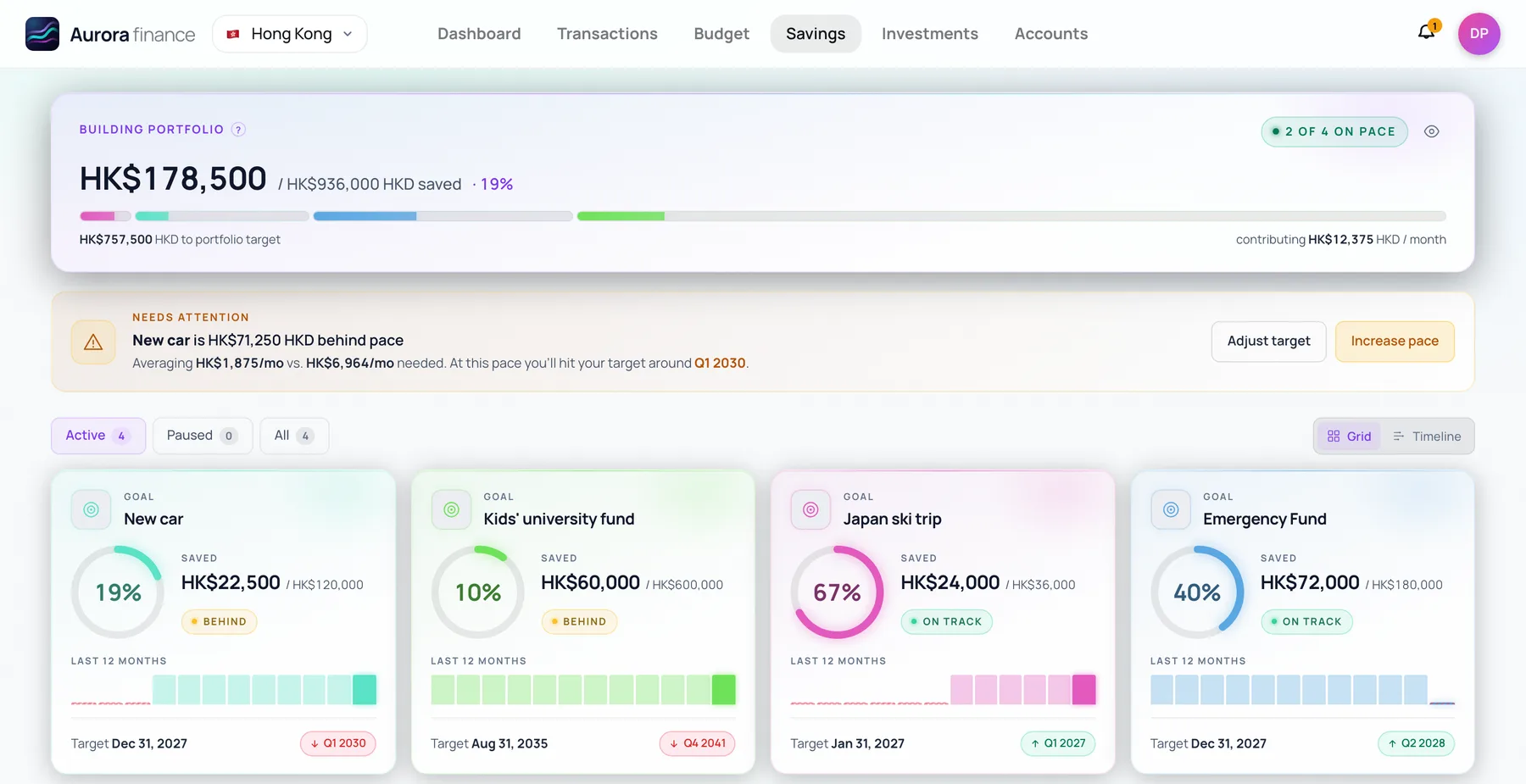
Every goal, and whether it's on pace.
Set goals for a trip, a deposit or a rainy-day fund, put money toward each one from your savings account, and see which ones need a push.
- Progress and pace for every goal
- When you'll get there at today's pace
- A heads-up when a goal falls behind
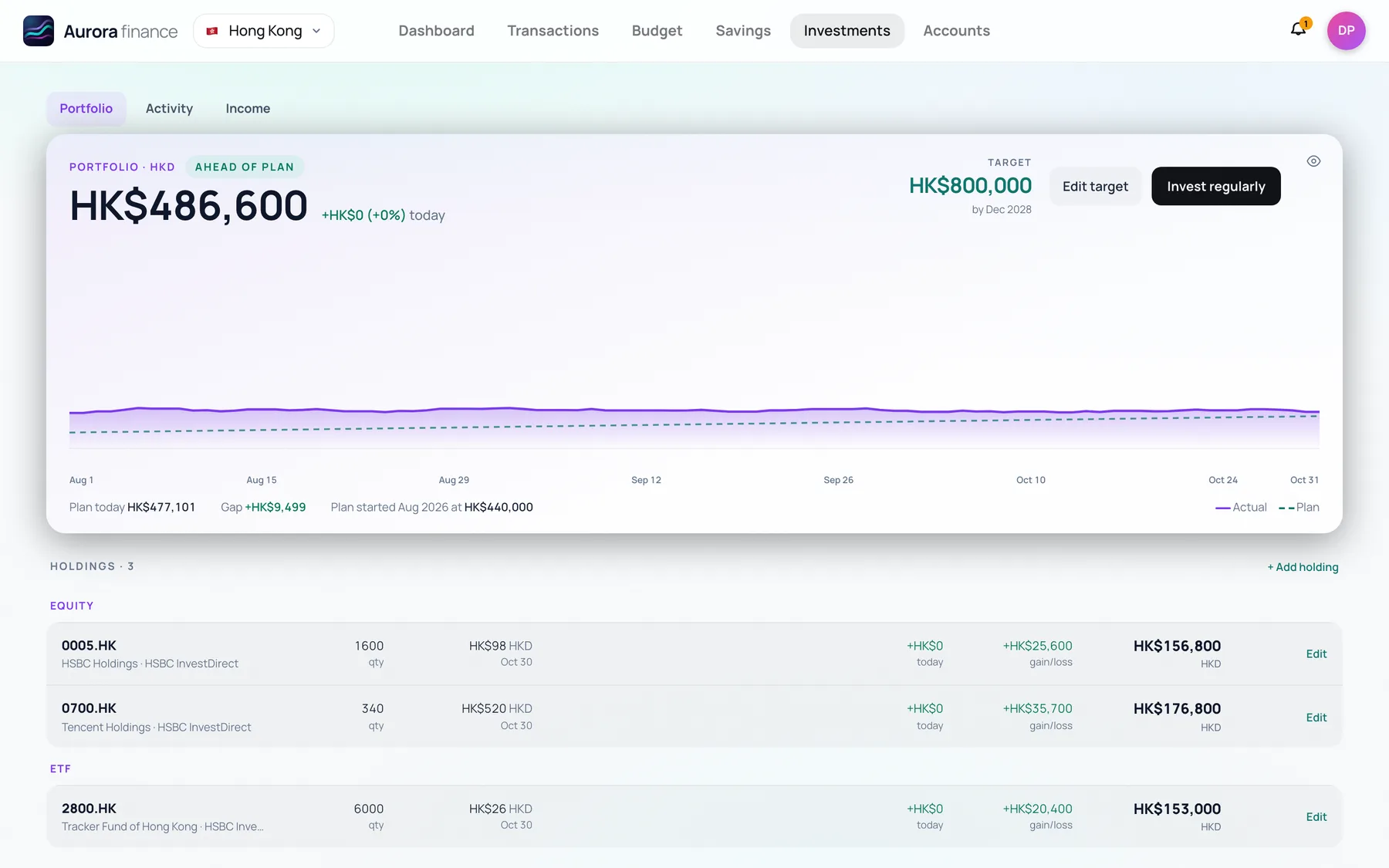
Your portfolio, against your plan.
Add your holdings and Aurora values them with each day's prices, then charts your progress toward a target amount and date.
- Daily prices for stocks and ETFs
- Gain or loss on every holding
- A plan line toward your target
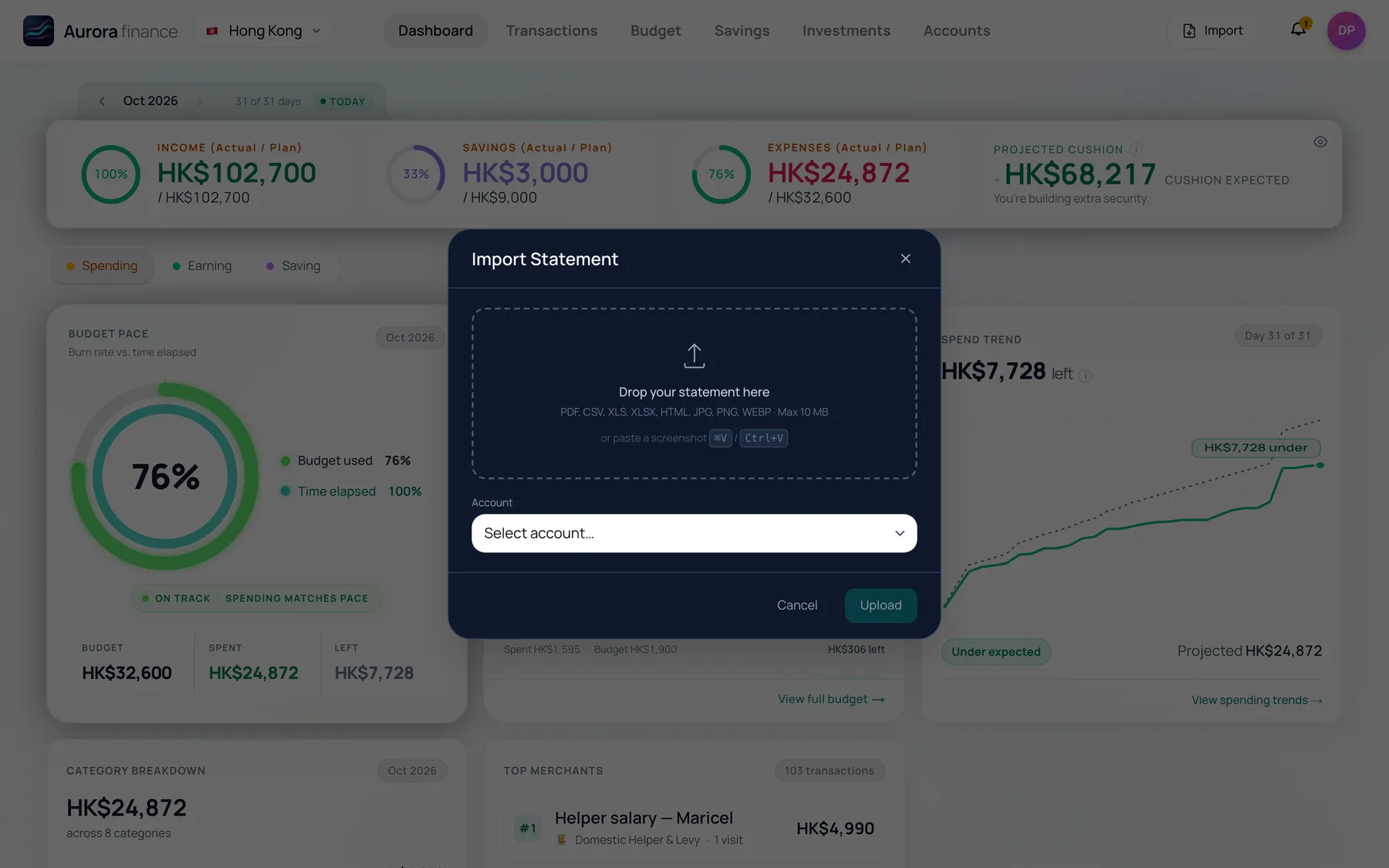
Drop in a statement. Keep the books straight.
Upload a bank or card statement and Aurora reads every line, then matches it to what you already captured.
- PDF, CSV, Excel, HTML or a screenshot
- Lines you already captured are matched, not counted twice
- Each account shows how far it has been imported
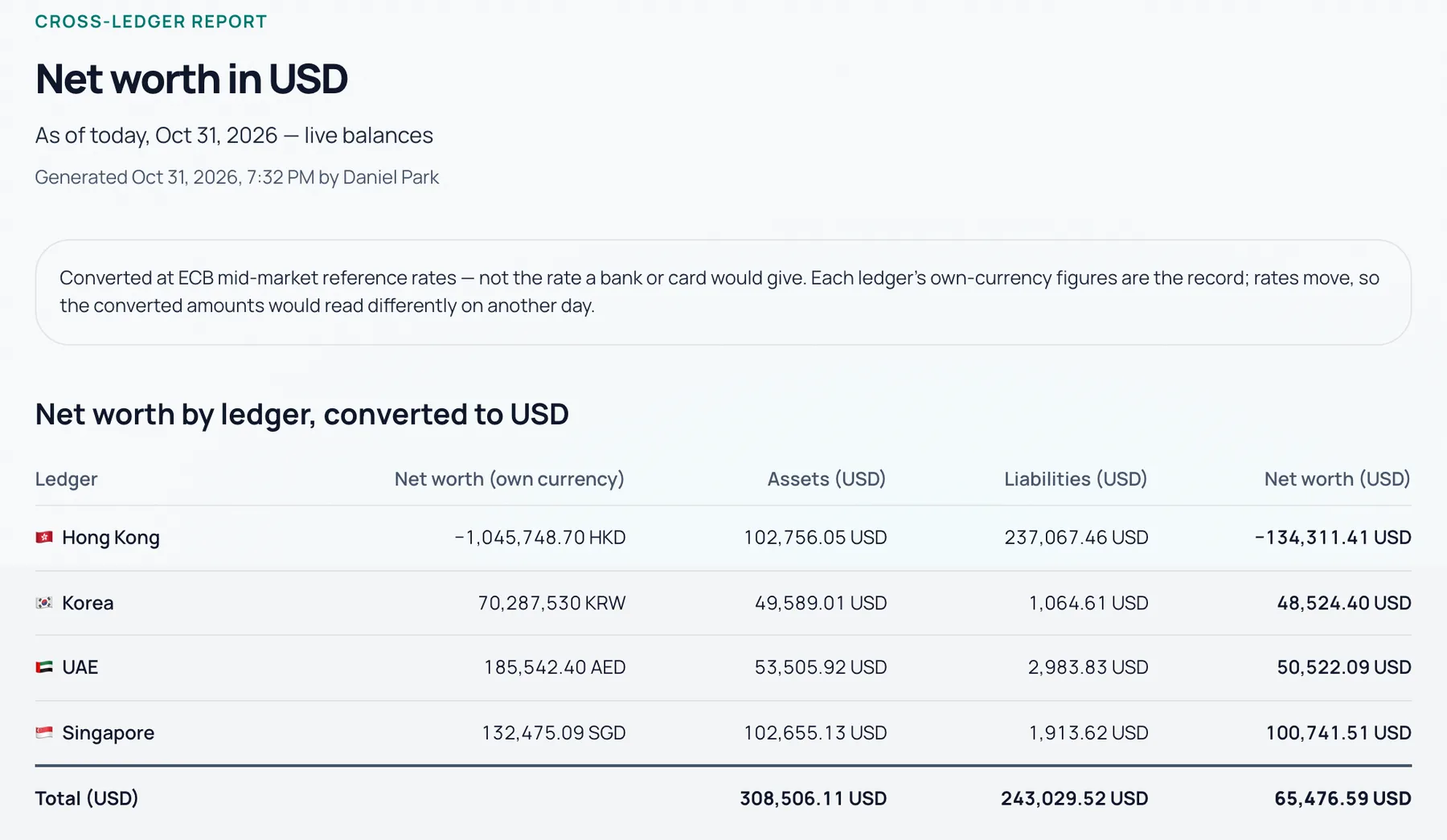
Every country, one currency — when you need it.
Your ledgers stay separate, each in its home currency. When a tax return or a mortgage application needs one number, the report converts them for one day.
- Every ledger keeps its own row
- ECB reference rates, shown with their date
- Download it as a PDF
Phone captures. Web reviews.
Use both — it's one account, and everything you do on one shows up on the other.
On your phone
- Card texts and payment alerts (Apple Pay), read as they arrive
- Receipt photos, read item by item
- Quick entry by typing or speaking
On the web
- Statement import and reconciliation
- Yearly budget planning
- The Cross-Ledger Report, ready to print
Open Aurora in your browser.
Sign in with the account you use on your phone — or start a 33-day trial.
Open the web app